
Markdown Syntax Guide

I am Front End developer focusing on developing skills, optimizing user experience and sharing knowledge.
Markdown is a lightweight markup language used for formatting text. One of the common places we use markdown is on GitHub Readme.md files. It can also be used in Github gists and comments in issues and pull requests.
Therefore, this guide will be focused on the various syntax that can be used when working with Github.
Syntax Guide
- Headings
- Emphasis
- Lists
- Images
- Links
- Blockquote
- Horizontal Rule
- Code snippets
- Tables
- Task List
- Username @mentions
- Issue References
- Emoji
Headings
   # Heading 1 <h1>
   ## Heading 2 <h2>
   ### Heading 3 <h3>
   #### Heading 4 <h4>
Heading 1
Heading 2
Heading 3
Heading 4
Emphasis
Italicised text can be written with an underscore or asterix before and after the text.
_Italicise this text_

*Italicise this text*
Italicise this text
Italicise this text
Bold
Bold text can be written with a double underscore or double asterix before and after the text.
__Make this text bold__

**Make this text bold**
Make this text bold
Make this text bold
Lists
Lists comprises of ordered and unordered.
Ordered
1. List 1
2. List 2
3. List 3
Unordered
- List 1
- List 2
- List 3
Which translates to;
- List 1
- List 2
- List 3
Images


We can also add gifs

Blockquote
> blockquote
This is a block quote!
Horizontal rule
---
Links
[Title](Link url)

For example:

[Giphy](https://giphy.com/)
Code snippets
`code`
{
    "name": "ijae",
    "task": "eat"
}
Tables
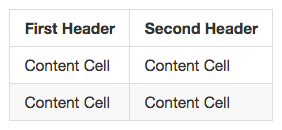
  | First Header | Second Header|
    |--------------| -------------|
    | Content Cell | Content Cell|
    | Content Cell | Content Cell|
Task List
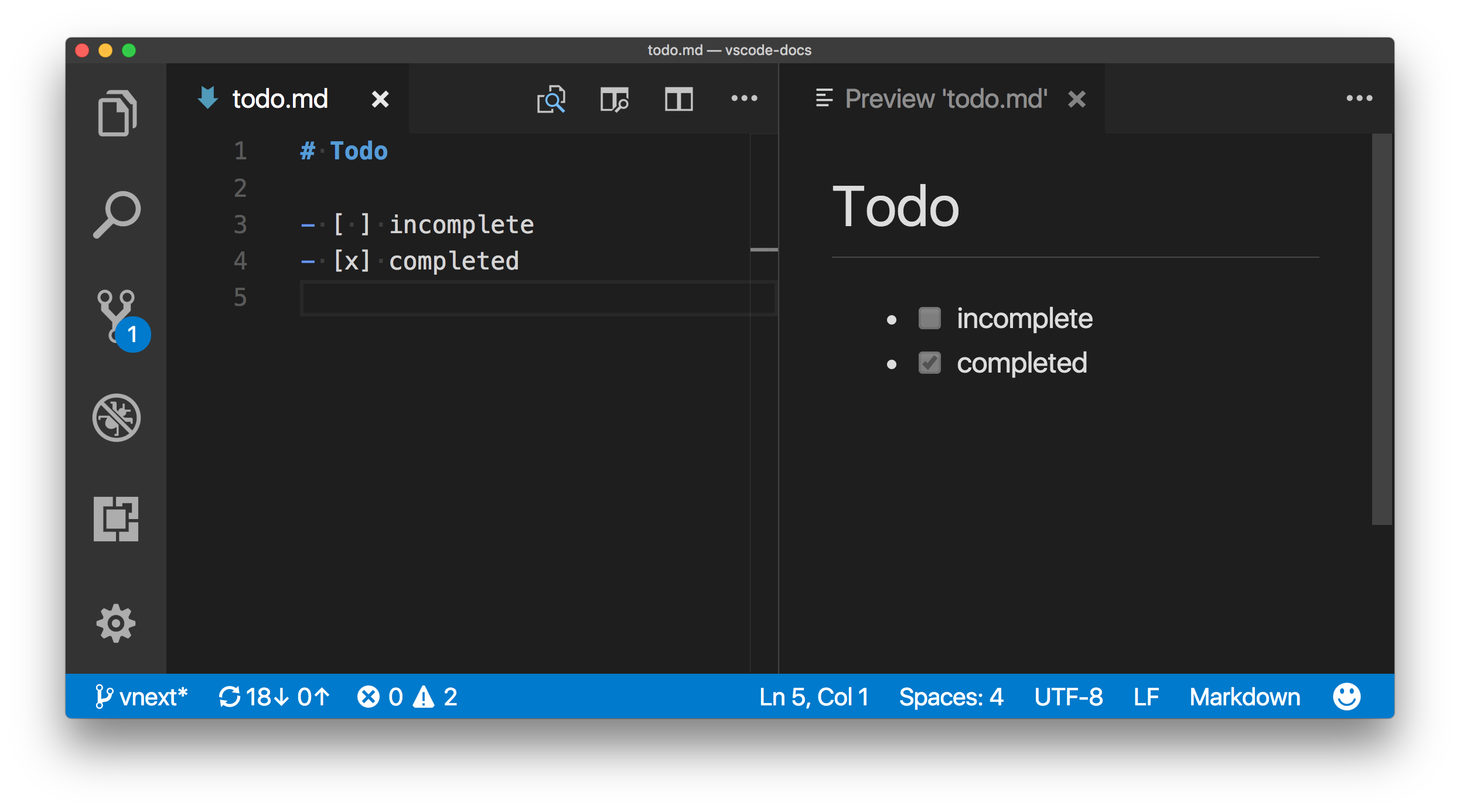
A task list comes in handy when you need to indicate progress in your issue list. This also works in pull requests.
- [x] Indicates a complete task

- [ ] Indicates an incomplete task
Username @mentions
You can type the @ symbol followed by a github username. This will notify the user.
eg @ijeomaemeruwa
Emoji
Github supports the use of emoji by adding colons before and after the emoji name.
:raised_hands: :metal: :family:
:wave: :smirk:
🙌 🤘 👪 👋 😏
You can find an extensive list of emojis here:
Note: Take note of the spaces in each syntax